Use this tutorial on how to change your membership plan, regardless if you’re upgrading or downgrading.
Step 1 & 2
Locate Membership Tab
Step 1.
Hover over Membershipin the Top Navigation Bar
Step 2.
Click on Membership Account
Step 3 & 4
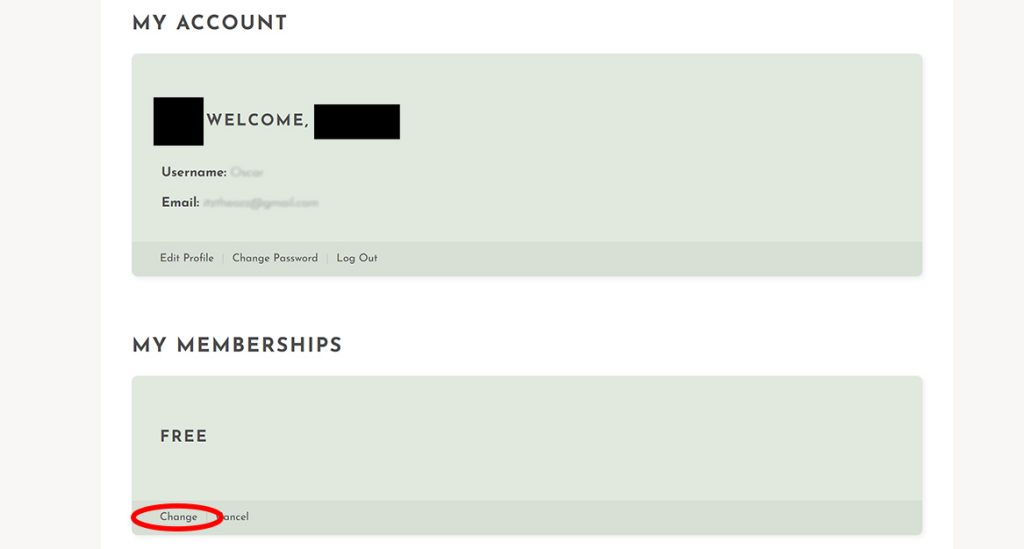
Locate My Memberships Box
Step 3.
Scroll down to MY MEMBERSHIPS section of your Membership Account Page
Step 4.
Click on the Change link text
Step 5 & 6
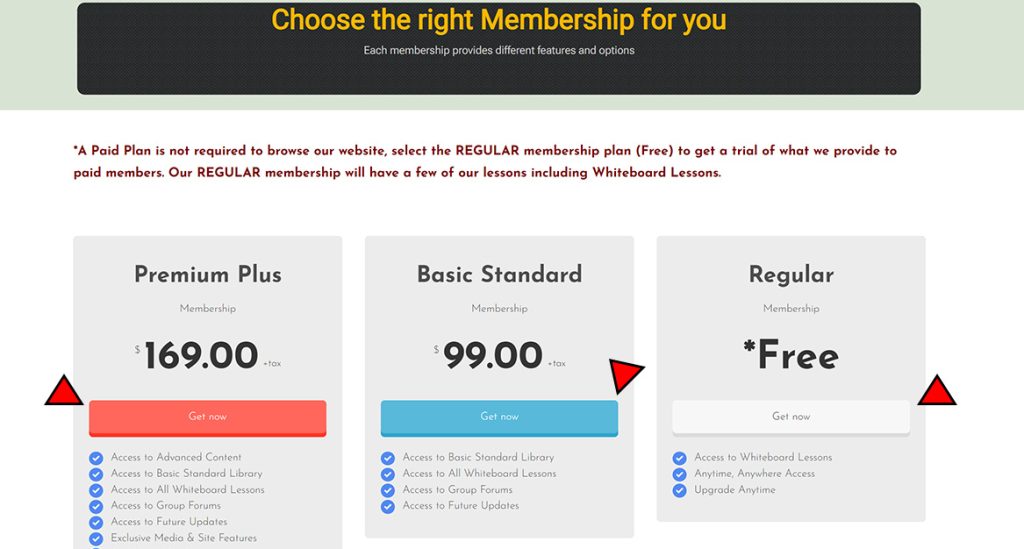
Locate My Memberships Box
Step 5.
Browse and review the plans from our Membership Selection Page
Step 6.
Click on the GET NOW button to select that plan
Step 7, 8 and 9
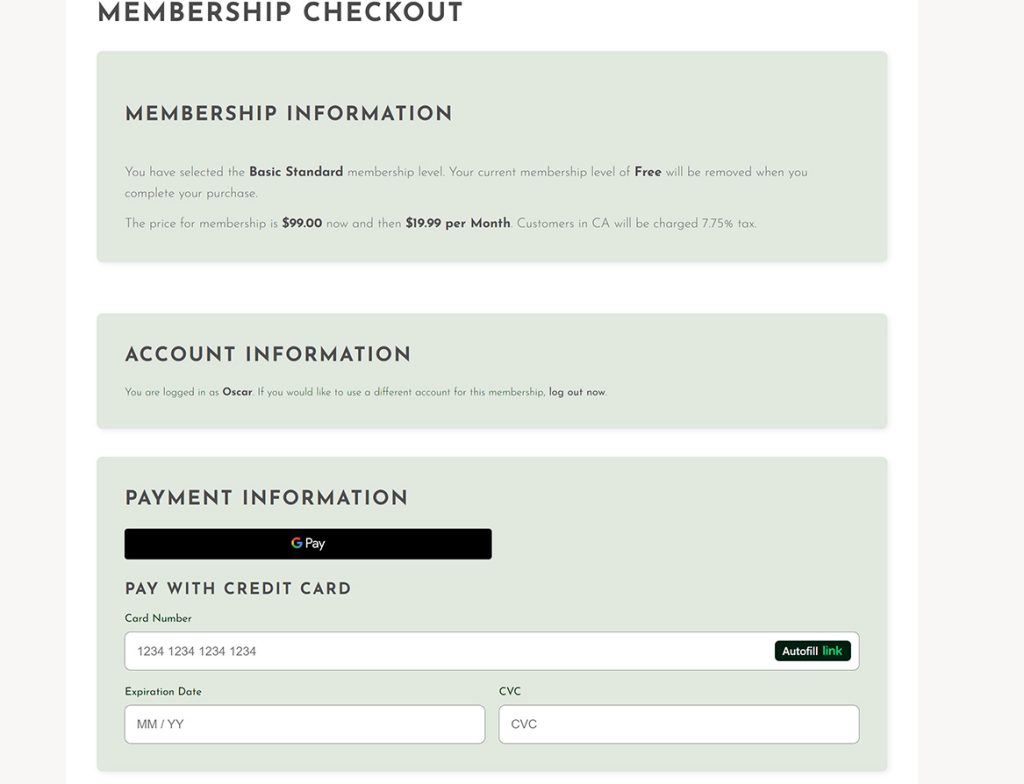
Verify Membership Plan and Payment information
Step 7.
Confirm that you are selecting the correct plan and read all pricing information prior to filling in your payment information.
Step 8.
Pay using any MOBILE payment option (GPay, ApplePay) or use your credit/debit card to purchase your new plan.
Step 9.
Scroll a little lower and submit your order and wait for the confirmation page to load, Congratulations on upgrading or downgrading your plan, you are all set!